Simcenter Hypermesh
AI-powered software for finite element modeling, large-scale simulation, and advanced visualization

SimcenterTM HypermeshTM is a product of Siemens
SimcenterTM HypermeshTM is a product of Siemens
Simcenter Hypermesh streamlines every phase of the simulation workflow — from model preparation and assembly to solver setup, visualization, and analysis. With guided, AI enhanced processes, engineering teams can build models, configure assemblies, generate reports, and perform both pre and post processing dramatically faster, reducing workflows that once took hours to just minutes.
The platform supports geometry creation and manipulation, meshing, large assemblies, subsystems, and imported CAD models. It also enables concept modeling and integrates seamlessly with internal or third party CAD and solver technologies. Built on an open, programmable architecture and connected to the digital thread, Simcenter Hypermesh makes it easy to automate processes, customize workflows, and accelerate innovation.

Simcenter Hypermesh turns model building and assembly into a fully traceable, connected process. Beyond generating simulation-ready models, it manages metadata that links parts, subsystems, and design updates across teams. Through a robust digital thread, every modification — from new geometry to configuration changes — is tracked and synchronized with Hypermesh libraries and PLM/PDM systems. This ensures engineering data remains consistent, reduces costly rework, and shortens time to market.
Engineers often waste time switching between tools to clean geometry, build meshes, set up solvers, and review results. Simcenter Hypermesh eliminates these bottlenecks by integrating pre- and post processing into a single solver connected environment. Teams can edit geometry, assemble models, define solver inputs, and analyze outputs without leaving the platform. Its broad compatibility with internal and commercial CAD/CAE tools ensures faster, more reliable simulation workflows.
With its open architecture and Python APIs, Simcenter Hypermesh adapts to any engineering environment. Teams can integrate the software with their existing systems, automate repetitive tasks, and convert expert workflows into reusable scripts. Built in automation tools turn manual operations — such as geometry cleanup, model setup, or report creation — into consistent, repeatable processes. This democratizes simulation capabilities, supports organizational standards, and allows simulation to scale efficiently.
Import, classify, and assemble large volumes of geometry using automated workflows. Create shared models, handle multiple configurations, and generate load cases with minimal manual input.
Generate high quality meshes for large models with just a few clicks, meeting industry standards while dramatically cutting setup time.
Automate the import, preparation, and merging of CAD models, then use powerful meshing tools to clean, refine, and generate shell, solid, and other mesh types.
Leverage generative design, parameterization, and simulation driven design to explore concepts early in development. Evaluate feasibility, compare trade offs, and identify lightweight, high performance geometries.
Transform optimized shapes into CAD-ready geometry for downstream engineering and manufacturing processes.
Generate customized HTML, PDF, DOCX, or PPTX reports at the push of a button — including equations, images, 3D objects, and simulation/CAE results.
Capture expert workflows as Python scripts to build templates, automate processes, and create simulation apps tailored to your organization.
Guided workflows make it easy to define load cases and prepare models for analyses including fatigue, durability, crash and safety, NVH, multiphysics, and more.
Create 1D reduced order models (ROMs) that replicate the behavior of complex 3D simulations, enabling rapid optimization of entire assemblies.

Send your technical questions to our experts!
Connect you with an EnginSoft expert who can provide a reliable answer to your technical question or recommend a
proven solution.
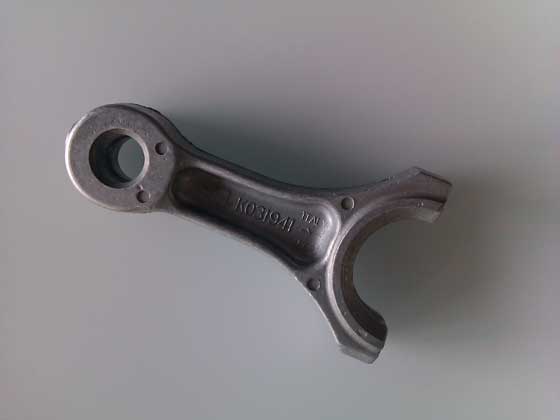
CASE STUDY
Connecting rods connect the pistons to the crank shaft in automotive engines and are vital components of the engine. Connecting rods are traditionally produced in ferrous metals by forging or die casting.
metal-process-simulation automotive magma

CASE STUDY
The adoption of SBES has significantly increased in the last two decades, driven by advancements in computing technology and the rise of Industry 4.0, which promotes nine key enabling technologies, including engineering simulation and big data analytics. SBES is crucial for the integration and automation of production systems, improving flexibility, speed, and quality.
automotive construction energy cfd metal-process-simulation

CASE STUDY
The aim of this study was to find the best quality glass-clamping system, through parametric model optimization, for a new pyrolytic self-cleaning oven by Indesit.
modefrontier optimization consumer-goods appliances
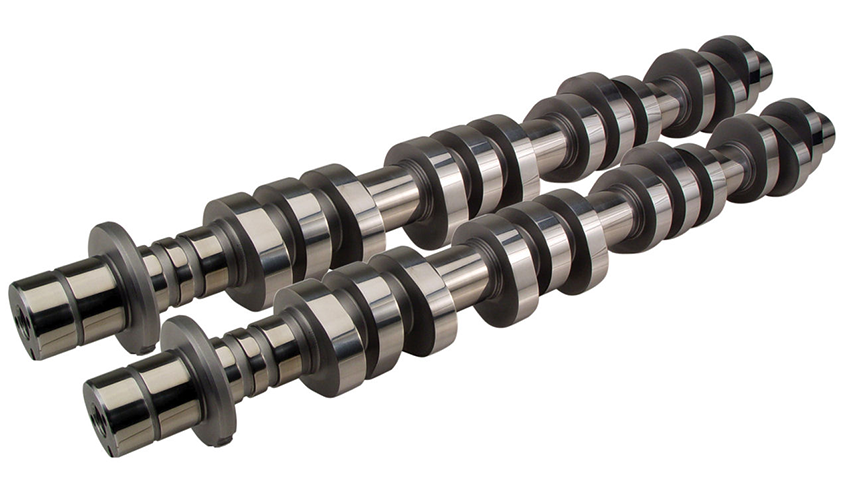
CASE STUDY
This technical case study explains the application of a two-step methodology using the MATLAB and Adam algorithms in the modeFRONTIER software platform.
optimization modefrontier automotive
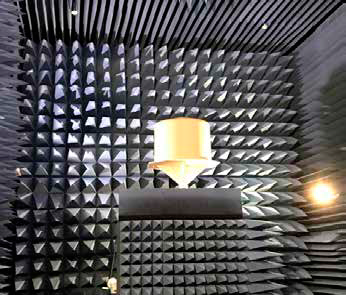
CASE STUDY
Elettronica SpA designs and produces systems for electronic warfare. Each system design is unique according to its platform and purpose. In this article, the company describes how it used CAE to approach the challenging design of a single sandwich radome.
ansys optimization electronics